
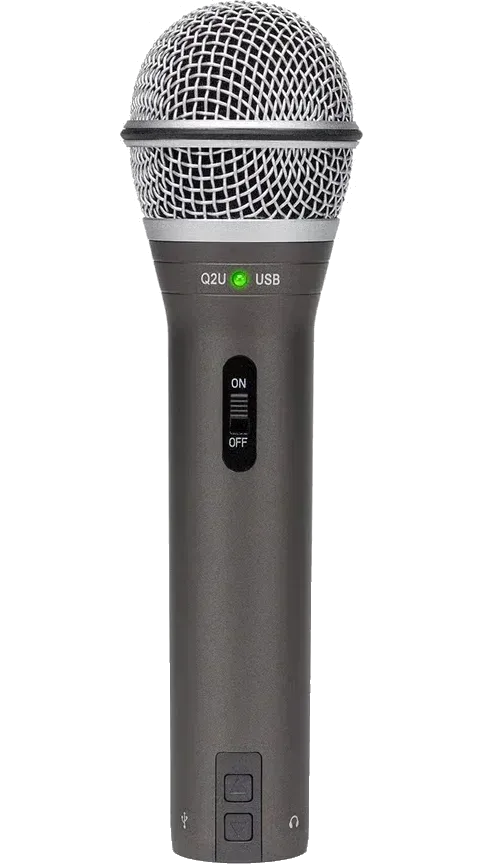
Samson Q2U
USB for today, XLR for later, and the XLR cable and a desk stand already in the box.
Check price on AmazonWhat owners say about setup day, the first months of recording and the years after, and which mic fits your room and the gear you already have.
Heads up: we earn a commission if you buy through our Amazon links, at no cost to you. It never decides our picks. Affiliate disclosure
USB for today, XLR for later, and the XLR cable and a desk stand already in the box.
Check price on Amazon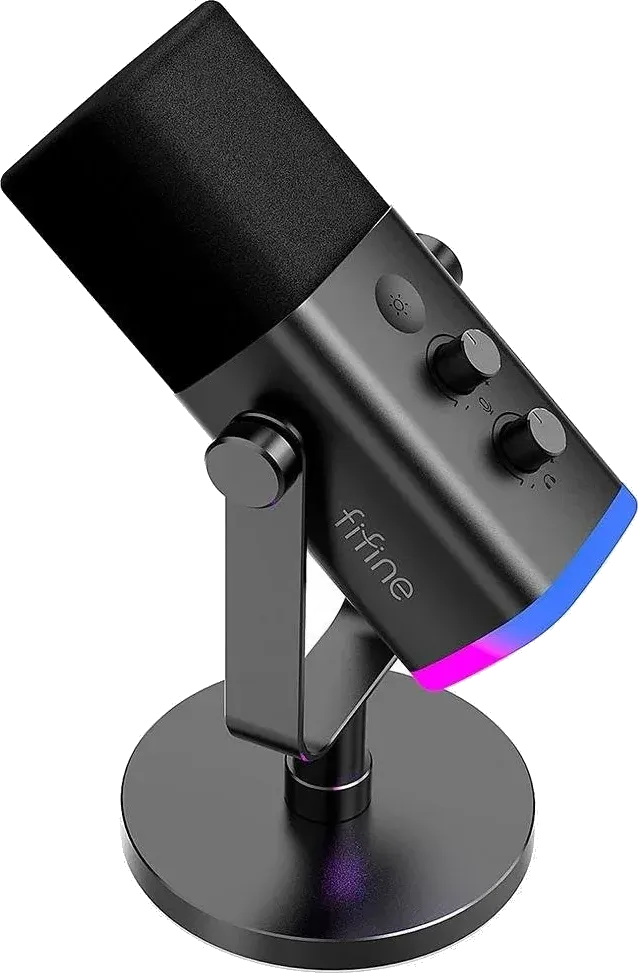
The most-rated mic here, with gain, mute and headphone controls on the body.
Check price on Amazon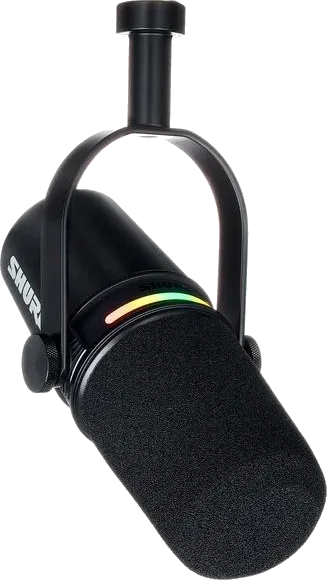
Auto Level, a noise reducer and a touch panel make it sound finished over one USB-C cable.
Check price on Amazon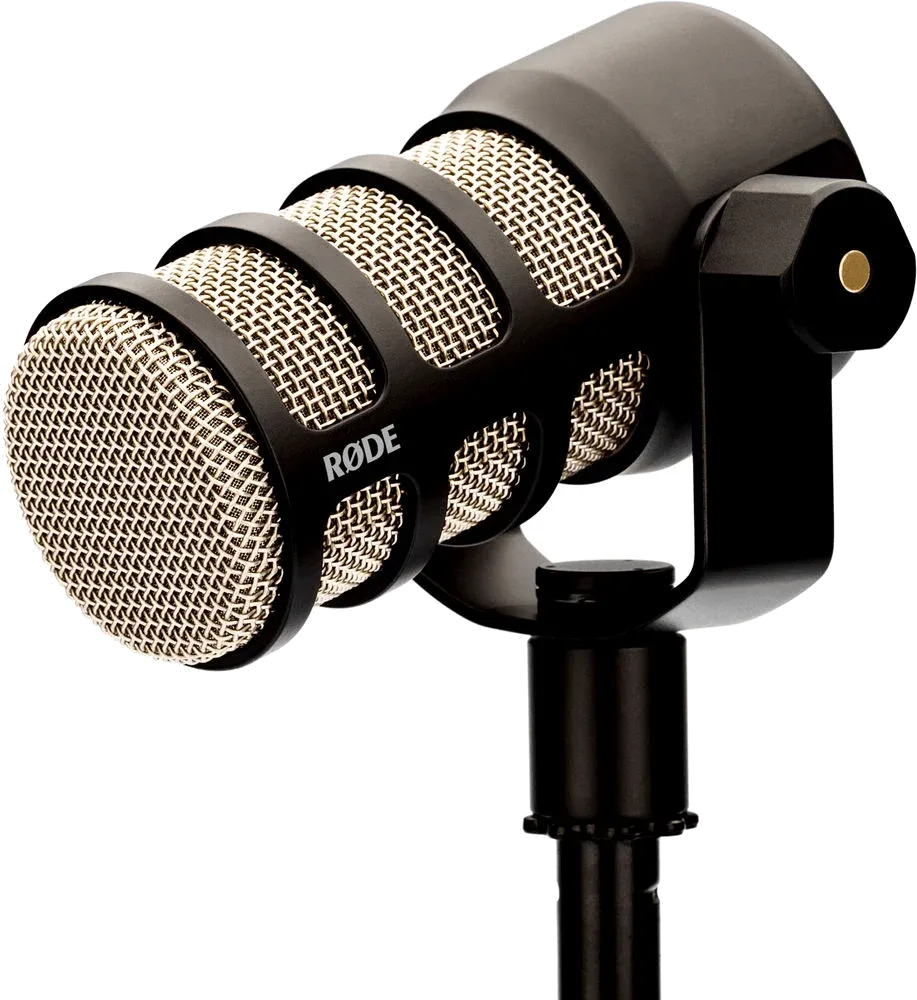
An all-metal XLR mic with a built-in pop filter and mount, and the highest rating here.
Check price on AmazonJump to: Samson Q2U · FIFINE AmpliGame AM8 · Shure MV7+ · RØDE PodMic
| Pick | Best for | Connects by | Also buy | Most-cited gripe | Owner rating |
|---|---|---|---|---|---|
| Samson Q2U | Most new podcasters | USB-C + XLR | Boom arm (optional) | Flimsy stand | 4.5 (5,631) |
| FIFINE AmpliGame AM8 | Tight budgets | USB-C + XLR | XLR cable (for XLR) | USB dropouts | 4.5 (12,288) |
| Shure MV7+ | Hands-off sound | USB-C + XLR | Nothing | Price | 4.6 (1,139) |
| RØDE PodMic | Interface owners | XLR only | XLR cable, interface | Needs lots of gain | 4.8 (7,262) |
Ratings checked on Amazon on October 20, 2026. They change over time.
The verdict: The Q2U is the mic we'd point most new podcasters to, and it's the one forum regulars name first. It's a dynamic mic, so it hears your voice and not much of the room. You can plug it straight into a laptop over USB-C, and when you buy an audio interface later, the XLR output and the XLR cable are already there. Owners keep saying it sounds clear and natural for the money, and the ones who also own a Blue Yeti or Snowball say it's easier to use and picks up less background noise. The usual complaint is the little tripod stand, which owners call flimsy and too low.
It's a handheld mic, so you talk into the end, not the side. One radio professional who has worked since the 1980s says he recommends it to clients because beginners find this shape easiest to use. Owners say it needs to be close and pointed straight at your mouth.
The headphone jack on the mic only works in USB mode. If you move to an interface, plug your headphones into the interface instead.
How often each theme comes up across owner reviews and forum threads.
Setup day
Plug in and go. Plan on a boom arm or a better stand, since the tripod is the part owners complain about.
First months
One owner had the light flash and the mic stay silent after every reboot until they replugged it. A Samson firmware update later fixed it.
Years in
One owner dropped it a few times over two years with no damage. Forum threads from long-time owners mention a worn on/off switch or a loose USB port.
The verdict: The AM8 has more than 12,000 Amazon ratings, the most of the four, and it's the best seller in Amazon's multipurpose dynamic mic category. Owners say it sounds clear for the money and works the moment you plug it in. Unlike the Q2U, it has a gain knob, a headphone volume knob and tap-to-mute right on the mic. There's also an RGB light ring that you can switch off. The trade-off shows up in forum threads, where the mic dropping out or not being recognized comes up again and again.
Those controls and the light only work over USB. Over XLR you set gain and mute on your interface, and you need to buy the XLR cable yourself, since only a USB-C to USB-A cable comes in the box.
Fifine's own advice is to use the cable that came with the mic. In one forum thread a reply blamed the cable for dropouts, and another suggested updating the driver in Windows Device Manager. One owner has used the AM8 for close to two years and liked it enough to buy a second one as a gift.
How often each theme comes up across owner reviews and forum threads.
Setup day
Works over USB with no extra software. For XLR, buy a cable and expect the on-mic controls to stop working.
First months
Forum threads describe the mic disconnecting mid-game or showing a red light until replugged. Replies suggest the original cable or a driver update.
Years in
One owner reports close to two years of use without trouble. The 1-year warranty is the shortest here.
The verdict: The MV7+ costs the most here, and what you get for it is less fiddling. Auto Level adjusts your gain as you lean in or sit back. A denoiser and a digital pop filter run inside the mic, and the touch panel shows your level and mutes with a tap. Owners mostly describe a quick setup and a clean, polished voice without extra gear. Like the others, it has XLR too, so it can move to an interface later.
One owner who uses speakers instead of headphones still heard speaker sound and room noise and added NVIDIA Broadcast to clean it up. Another called the sound "meh" but still gave it five stars for convenience. One forum poster who moved from a Blue Yeti thought their new MV7+ was a dud.
It ships with a USB-C to USB-C cable and a foam windscreen. An XLR cable isn't included.
How often each theme comes up across owner reviews and forum threads.
Setup day
Plug in over USB-C. Shure's MOTIV Mix app lets you change the processing and the panel color.
First months
Owners mostly report no problems. One owner has used it daily since January without trouble.
Years in
The reviews we read only go back to 2025, so there's little long-term data yet. Forum USB-port failures we found were on the older MV7, not the MV7+.
The verdict: If you already have an audio interface, the PodMic is the one we'd plug into it. It has 4.8 stars from more than 7,000 Amazon ratings, the best score of the four. It's an XLR-only dynamic mic with a pop filter and shock mount inside and a swing mount attached, so it goes straight onto a boom arm. Forum owners praise how little of an untreated room it hears. The catch is that it needs a lot of gain, more than some beginner interfaces give it.
Amazon didn't show us written reviews for the PodMic when we pulled the data, so this pick leans on forum threads. The gain complaint is the steady one there. Owners running it on a Focusrite Scarlett Solo say they turn the gain all the way up and still sit close. A 2i2 owner says it's close to maximum. Some add an in-line booster like a Cloudlifter. If you're still choosing an interface, our beginner audio interface guide covers which ones have the most mic gain.
It's a heavy mic, so a sturdy boom arm helps. You'll also need an XLR cable if your interface didn't come with one.
How often each theme comes up across owner reviews and forum threads.
Setup day
With a Scarlett Solo or similar, expect the gain near maximum. Owners add an in-line booster if they hear hiss.
First months
Forum owners mostly talk about the sound and staying close to the mic.
Years in
In one thread from an owner looking to upgrade, replies pushed room treatment over a new mic. We didn't find a pattern of failures.
A good podcast mic makes your voice sound close and clear and keeps the rest of the room out. All four picks here are dynamic mics, which is what most podcasters starting out at home should buy. They differ in how they connect, what’s on the mic and what else you’ll need to buy.
Dynamic mics pick up what’s right in front of them and fade fast with distance. That makes them forgiving in a bedroom or an office with bare walls, where a condenser mic would also catch the echo and the traffic outside. The trade-off is that you have to stay close, a few inches from the mic, every time you talk.
A USB mic plugs straight into your computer. An XLR mic needs an audio interface or mixer (see our beginner audio interface picks), which costs more but lets you add a second mic or swap mics later. The Q2U, AM8 and MV7+ have both outputs, so you don’t have to decide now. The PodMic is XLR only.
If you’ll host alone or record guests remotely, one mic is enough. If two people will sit in the same room, each needs their own mic, and two XLR mics into a two-input interface is the usual way to do it.
The Q2U comes with both a USB-C and an XLR cable. The AM8 and MV7+ come with USB cables only, so budget for an XLR cable if you’ll use an interface. The PodMic comes without a cable. Check the USB end too: the MV7+ ships with a USB-C to USB-C cable, so an older computer with only USB-A ports needs an adapter.
USB is simpler: one cable into your computer and you're recording. XLR needs an audio interface but makes it easy to add a second mic or upgrade later. Three of our picks have both outputs, so you can start on USB and move to XLR when you need it.
For most people recording in a bedroom or office, dynamic. Dynamic mics pick up less of the room, keyboards and street noise, as long as you talk close to them. Condensers like the Blue Yeti pick up more of the room. Several owners in our research moved from a Yeti to one of these picks.
Not well. These are all cardioid mics that pick up what's in front of them. For two hosts, give each person a mic. Two USB mics on one computer can be fiddly, so most two-person shows use two XLR mics and a two-input interface.
The Q2U and AM8 come with foam windscreens, the MV7+ has a foam windscreen and a digital pop filter, and the PodMic has one built in. Owners still add foam covers when hard P and B sounds get through.
It isn't required, but Q2U and AM8 owners often add one. A boom arm keeps the mic close to your mouth without leaning over the desk and stops keyboard thumps from reaching it through the stand. The PodMic is a heavy mic, so a sturdy arm helps.