
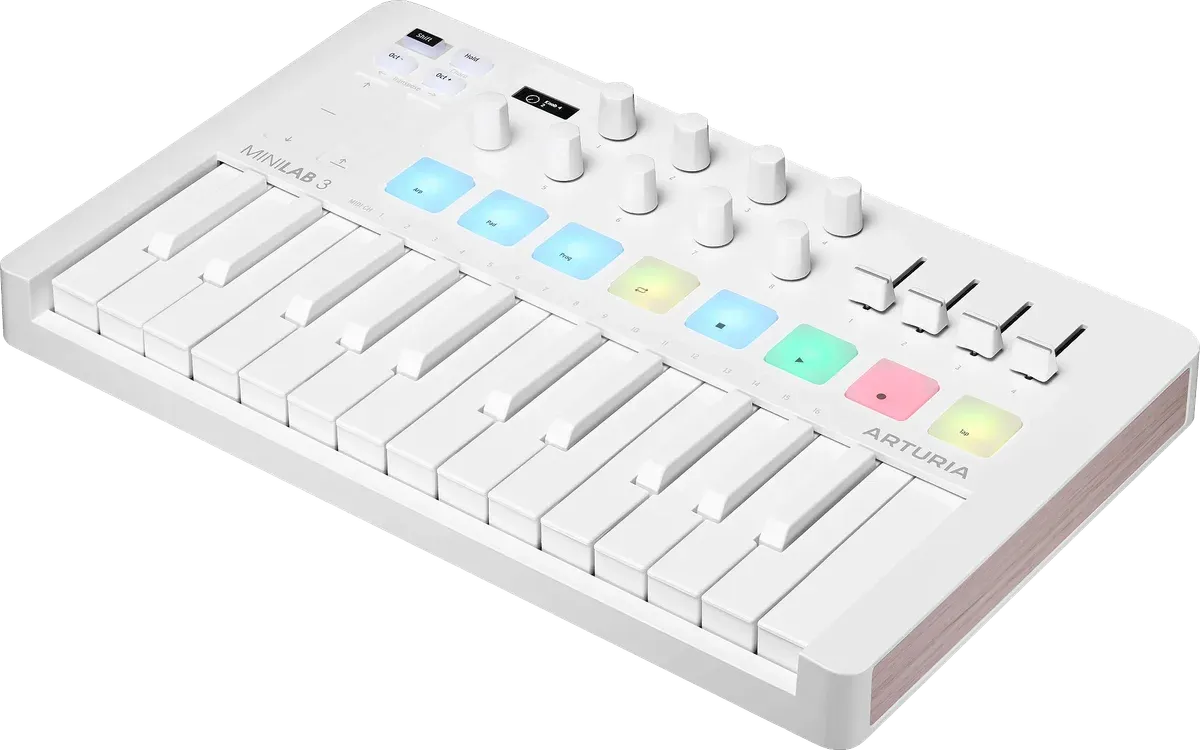
Arturia MiniLab 3
The best-feeling small keys we read about, plenty of controls, a big software bundle and a 5-year warranty.
Check price on AmazonWhat owners say about setup, key feel, pads and the software in the box, and whether you need 25 keys or 49 to start making music on a computer.
Heads up: we earn a commission if you buy through our Amazon links, at no cost to you. It never decides our picks. Affiliate disclosure
The best-feeling small keys we read about, plenty of controls, a big software bundle and a 5-year warranty.
Check price on Amazon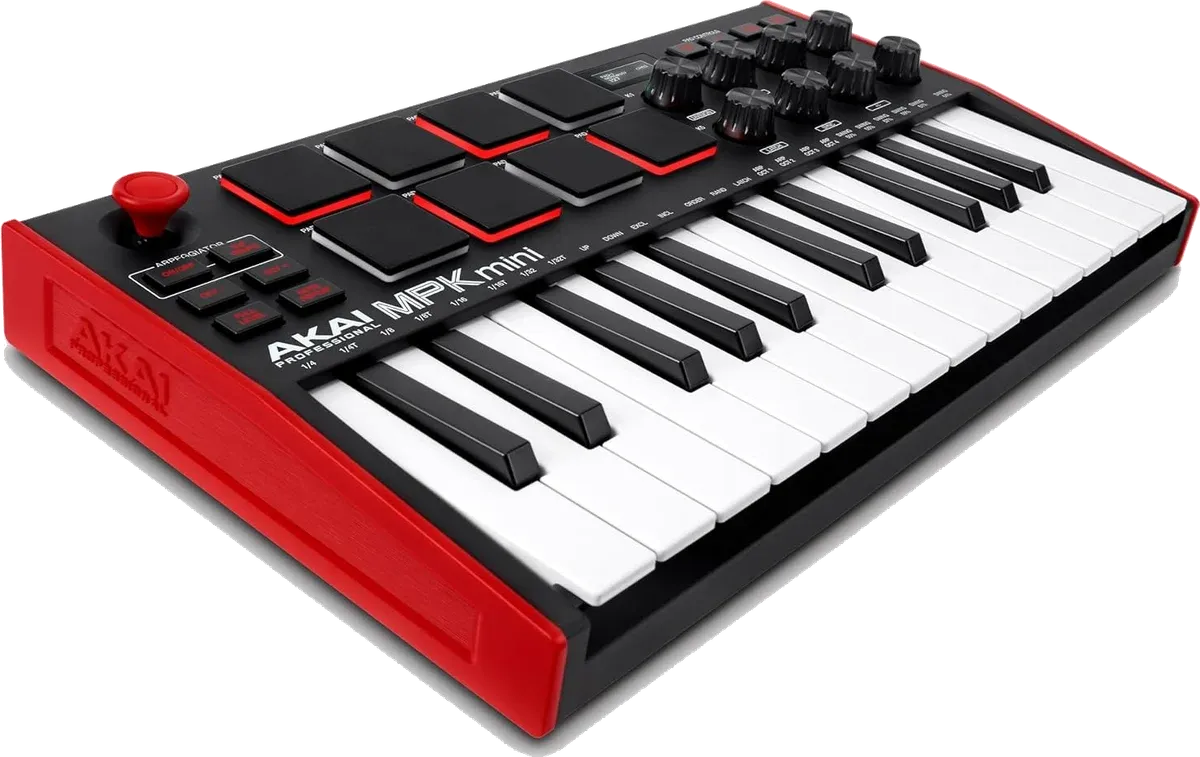
The best-selling mini controller, with MPC-style drum pads and more than 13,000 ratings behind it.
Check price on Amazon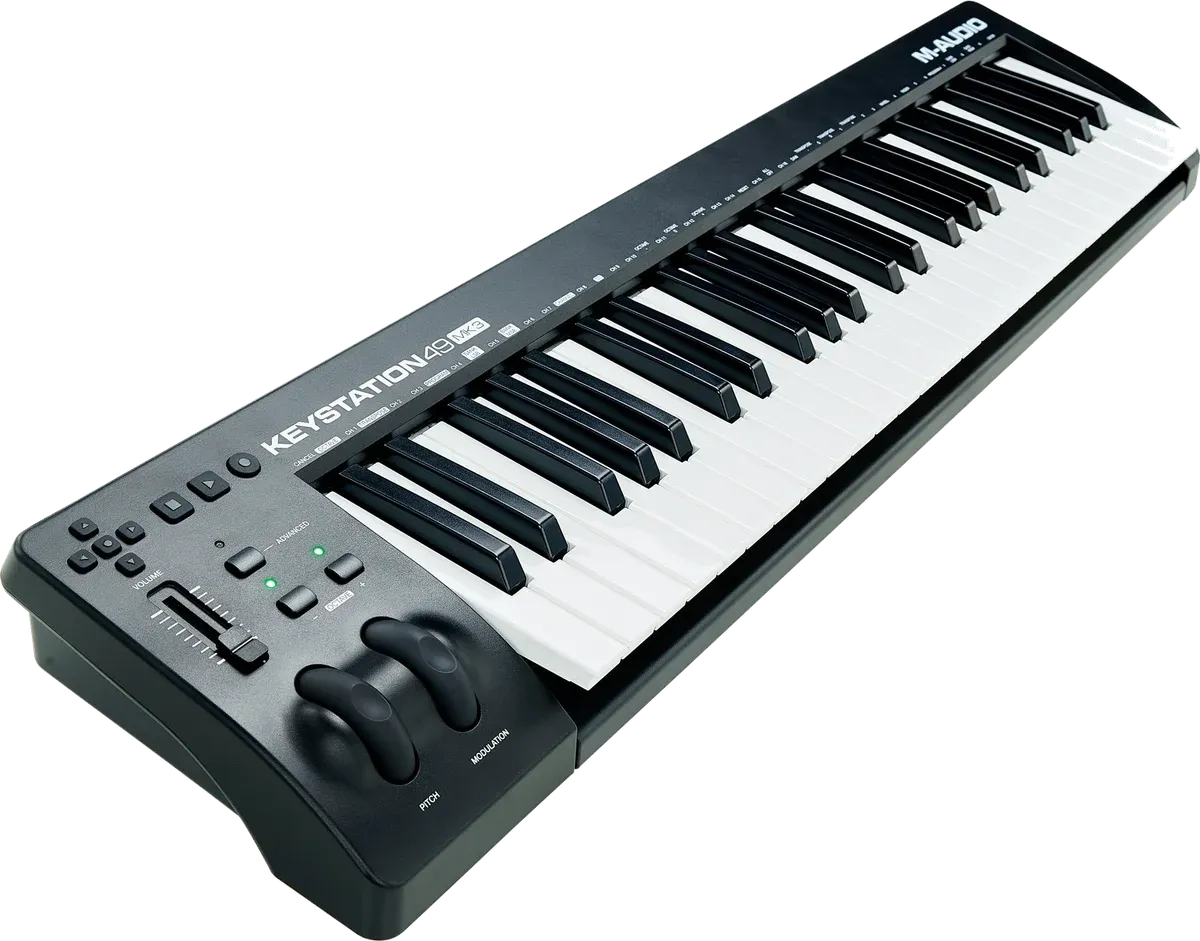
Four octaves of full-size keys on a slim board, with nearly 7,000 ratings and a big software bundle.
Check price on Amazon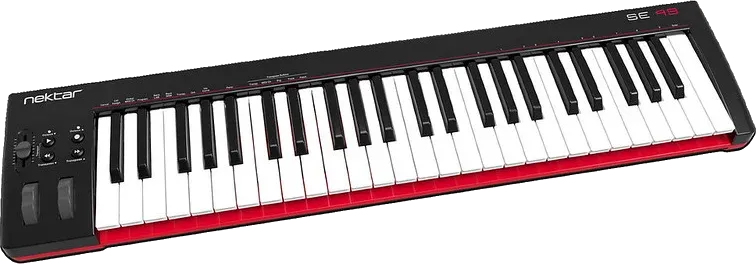
The cheapest full-size 49-key board here, with a 2-year warranty and keys that owners praise for the price.
Check price on AmazonJump to: Arturia MiniLab 3 · Akai MPK Mini MK3 · M-Audio Keystation 49 MK3 · Nektar SE49
| Pick | Best for | Keys | Pads and knobs | Most-cited gripe | Owner rating |
|---|---|---|---|---|---|
| Arturia MiniLab 3 | Most beginners | 25, slim | 8 pads, 8 knobs, 4 faders | Weak pads | 4.7 (3,486) |
| Akai MPK Mini MK3 | Beat makers | 25, mini | 8 pads, 8 knobs | Learning curve | 4.6 (13,315) |
| M-Audio Keystation 49 MK3 | Two-handed playing | 49, full-size | Fader, wheels, transport | Windows setup | 4.5 (6,821) |
| Nektar SE49 | Tight budgets | 49, full-size | Slider, wheels | Bare controls | 4.5 (1,438) |
Ratings checked on Amazon on October 21, 2026. They change over time.
The verdict: The MiniLab 3 is the small MIDI keyboard we'd start most beginners on. Its 25 keys are what owners praise most. One owner tried it alongside two Akai models and an M-Audio and called its keys "by far the best" of the four, and a Reddit comparison says they feel "nowhere near as cheap" as the MPK Mini's. It also has eight knobs, four faders and a small screen, and it comes set up for Ableton Live, Logic, FL Studio and other recording apps. Arturia backs it with a 5-year warranty, the longest here.
The pads are the weak spot, and owners agree on that more than anything else. Several say you have to hit them hard before they register. One owner who returned it found them wobbly at the edges and kept getting double hits. On Reddit, one owner calls the pads "the worst thing about the Minilab 3. The rest is great." If you mostly want to tap out drum beats, the MPK Mini's pads get better marks.
The box includes Analog Lab Intro, which is a large collection of synth and keyboard sounds, plus Ableton Live Lite and a grand piano plugin. It also has USB-C and a full-size MIDI output for hardware synths. Two owners say 25 keys turned out to be too few and they'd buy the 37-key version next time.
How often each theme comes up across owner reviews and forum threads.
Setup day
Register it with Arturia to unlock the software. One beginner says connecting it to their recording app took a little research.
First months
Pad complaints show up once owners start programming drums. Arturia's MIDI Control Center app lets you adjust the pads.
Years in
One owner reports almost two years of heavy use with no problems. The warranty runs five years.
The verdict: The MPK Mini MK3 is the MIDI keyboard most beginners have heard of, and it has more than 13,000 Amazon ratings. It's built for making beats: eight backlit MPC-style pads, eight knobs, an arpeggiator and a thumbstick for pitch bend. It's small enough for a backpack, and owners call it solid and easy to learn with the help of YouTube tutorials. One owner says theirs still works after more than four years.
The catch for a complete beginner is that it makes no sound by itself. It's a controller, so it needs a computer and music software running. One three-star owner who knew nothing about MIDI spent over an hour registering the keyboard and installing Akai's software, then found it "nothing intuitive." The included MPC Beats has a lot of buttons, and the free version caps a song at eight MIDI tracks and two audio tracks.
The keys are mini keys, and forum comparisons rate them below the MiniLab 3's. A long-running Reddit thread deals with notes that come out too soft, which is usually a velocity setting you can change. A few owners report a single dead key, and Akai's support site suggests cleaning around it with compressed air.
How often each theme comes up across owner reviews and forum threads.
Setup day
Plan an hour to register it and install MPC Beats and the plugins. It does nothing until the software is running.
First months
Forum threads about quiet notes and velocity settings land here, along with the odd dead key.
Years in
Owners report one year and more than four years of use with everything still working. Akai's warranty is 1 year.
The verdict: If you want to play chords with your left hand and a melody with your right, you need more than 25 keys. The Keystation 49 MK3 is the most-rated 49-key board we found. Owners call it a lot of keyboard for the money and say it fits a small desk. Several describe the keys as responsive and quiet, with no clicking. There are no pads or knobs, just keys, pitch and mod wheels, a volume fader and transport buttons. Owners who just want to play into their recording software say that's all they need.
Most owners say it worked as soon as they plugged it in. Reaper, Logic and Cubase all found it without extra setup. The exception is one long Windows review: two PCs saw the keyboard, but no app could use it until the owner ran a free utility called MIDI-OX. M-Audio's chat support helped. On Reddit, the recurring threads are about FL Studio not recognizing the extra buttons, plus the odd board whose keys stop sending notes.
The keys are unweighted synth-style keys, so they won't feel like a piano. The 49-key model has USB only, with no 5-pin MIDI out for hardware synths. One owner notes the green octave lights are very bright and can't be dimmed. The bundle includes Ableton Live Lite, MPC Beats, a few AIR instruments and free lessons from Skoove and Melodics.
How often each theme comes up across owner reviews and forum threads.
Setup day
Usually plug and play. If Windows apps can't see it, M-Audio support and the MIDI-OX utility fixed it for one owner.
First months
Reddit threads cover transport buttons that don't map in FL Studio. M-Audio's support site has a reset for wrong notes.
Years in
One owner's previous Keystation lasted 11 years. M-Audio's warranty is 1 year.
The verdict: The SE49 is the no-frills option, and it costs less than the Keystation. Owners describe a minute-long setup: plug it in, open your recording app, and it works. The keys win praise for the price. One owner sent back a more popular 49-key board because its keys felt cheap and wobbly, then found the SE49's keybed "more solid, slightly quieter." It's slim enough for a desk or a computer keyboard tray, and Nektar gives it a 2-year warranty.
The controls are minimal: pitch and mod wheels, one slider, octave and transpose buttons and a sustain pedal input. Some recording apps pick up the slider by themselves, and others need it set up by hand. One four-star owner says it's great for playing piano sounds in GarageBand but outgrew it on moving into synths, which need knobs and a real MIDI out.
One owner finds the keys a bit stiff, with a noticeable thud when played hard. Another expected them to be more touch-sensitive. The only fault report we found is a Reddit post about several keys dead out of the box. Bitwig Studio 8-Track is the only software included, and two owners recommend ordering a sustain pedal with it.
How often each theme comes up across owner reviews and forum threads.
Setup day
Plug it in and it shows up. Add a sustain pedal to the order if you'll play piano sounds.
First months
If notes come out louder or softer than you play them, you can change the velocity sensitivity. The one Reddit fault report was dead keys on day one.
Years in
Not much long-term data. The warranty is 2 years, the longest here after the MiniLab 3.
A MIDI keyboard is a controller. It has no sounds of its own and plays whatever software you run on your computer. So the questions are how many keys you need, how you’ll make music, and whether the software in the box will get you started. If you’re still choosing between this, a keyboard with its own speakers and a digital piano, start with our digital piano vs keyboard explainer.
Twenty-five keys covers two octaves. That’s enough to tap in a melody, a bass line or a drum pattern, and you use the octave buttons to reach the rest. It also fits next to a laptop. Forty-nine keys covers four octaves, which forum regulars call the minimum for playing with both hands. If you want to play chords and a melody at the same time, go for 49, like the Keystation 49 MK3 or the Nektar SE49.
If you want to make beats, pads matter. The MPK Mini MK3’s MPC-style pads get better reviews than the MiniLab 3’s, which owners say need hard hits. If you mostly want to play parts into your software, a plain 49-key board with no pads and few knobs is cheaper and simpler. Knobs and faders help once you start tweaking synth sounds and mixing, and the MiniLab 3 has the most of them here.
If you don’t own recording software yet, the bundle is what you’ll start with. The MiniLab 3 comes with Analog Lab Intro, Ableton Live Lite and a grand piano plugin. The MPK Mini MK3 comes with MPC Beats and a few instruments. The Keystation has Ableton Live Lite, MPC Beats and two lesson apps. The SE49 has Bitwig Studio 8-Track. If you already have GarageBand or Logic on a Mac, any of the four will work with it.
No. It sends notes to a computer, tablet or phone, and the software there makes the sound. Several beginners mention this as a surprise in their reviews. You'll need a recording app like GarageBand, Ableton Live Lite or MPC Beats running, and all four picks include one in the box or work with free ones.
A MIDI controller is anything that sends notes and knob moves to music software: pad boxes, knob panels and keyboards. A MIDI keyboard is a controller with piano keys, so all four picks are both. The MiniLab 3 and MPK Mini MK3 add eight pads and eight knobs for drums and effects. The Keystation 49 MK3 and SE49 are mostly keys, with no pads or knobs.
Twenty-five keys is enough to tap in melodies, bass lines and drums, and it fits on a desk next to a laptop. Forum regulars call 49 keys the smallest size for playing with both hands. Two MiniLab 3 owners say they'd buy a bigger version next time. If you want to play chords and a melody together, get 49.
You can learn notes and chords, and some owners use one with learning apps like Skoove or Melodics. But these keys are unweighted, so they feel nothing like a piano. If lessons are the goal, look at our guide to the best digital piano for beginners.
Owners and forum comparisons rate the MiniLab 3's keys higher and the MPK Mini's pads higher. For melodies and chords, the MiniLab 3. For finger-drumming hip hop beats, the MPK Mini MK3. Akai has since released the MPK Mini IV, which we haven't covered because there's no Amazon listing with owner data yet.
A computer or tablet with a recording app, and headphones or speakers. Add a sustain pedal if you'll play piano sounds. All four picks have a pedal input but none come with a pedal. For an iPad, you'll need a USB adapter, and one owner warns the keyboard runs on the iPad's battery.